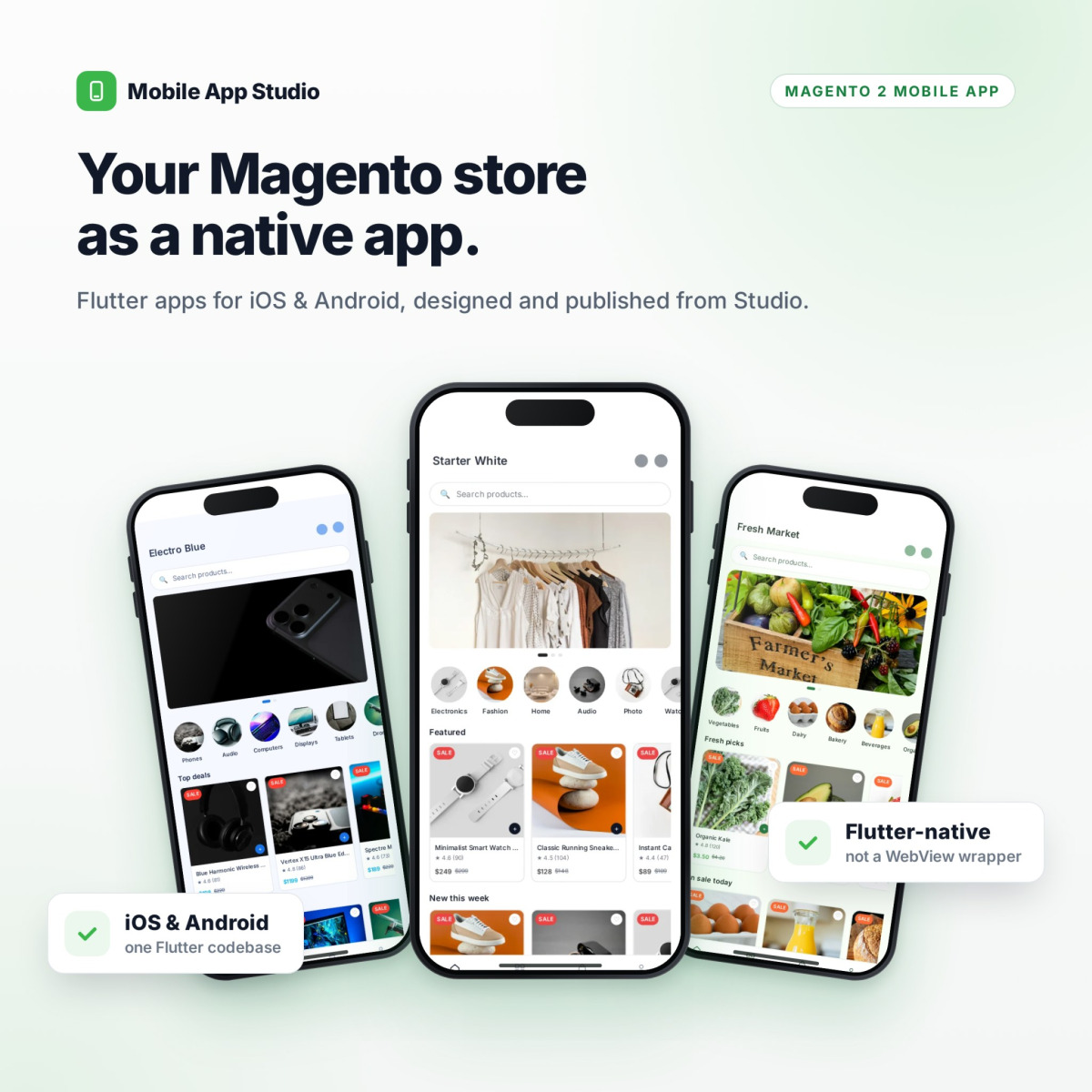
A Native iOS & Android App for Your Magento Store — Designed, Managed and Published from One Dashboard.
Mobile App Studio turns your Magento store into a Flutter-native shopping app connected live to your catalog. Import a ready-made storefront, adjust the design, build the home screen and send push campaigns in Studio, then publish. No code, and nothing reaches customers until you approve it.
✓Native iOS & Android apps built with Flutter — not a WebView wrapper
✓Full Flutter source code included in the package
✓5 ready-made storefronts: Luxe Noir, Rose Gold, Electro Blue, Fresh Market, Starter White
✓Visual theme editor: 41 colour tokens, fonts, spacing and product cards with live preview
✓Home screen builder: banners, product and category carousels, featured categories
✓Push campaigns with smart segments, deep links, scheduling and open tracking
✓Draft → Publish with version history, restore and audit log
✓Multi-store, English & Arabic with right-to-left layout
✓Studio access and support included for 3 months, extendable to 1 year
Mobile App Studio gives your Magento store a native iOS & Android shopping app, built with Flutter and connected live to your catalog. Design the app, arrange the home screen and send push campaigns from one dashboard, then press Publish.
Flutter-native apps for iOS and Android — real native screens, not a website inside a WebView.
Studio dashboard: themes, home screen, banners, carousels, onboarding, branding and push campaigns, no code.
Everything is draft → publish. Customers only see a version you approve, and every version can be restored.
Full Flutter source code included, so your developers can extend the app in any direction.
Most of your customers shop on their phones, and an app keeps them coming back: it lives on their home screen, remembers them, and can reach them with a push notification. Building one from scratch means months of work and a second system to keep in sync with your store.
Mobile App Studio skips that. The app reads your products, categories, prices and stock straight from Magento, and everything a merchant changes — the look, the home screen, the campaigns — is managed in Studio and goes live when you publish. No developer needed for day-to-day changes.
A real app, managed like the rest of your store.
Native performance for your customers, a simple dashboard for your team, and nothing to keep in sync by hand.
Truly Native
Built with Flutter for iOS and Android: native navigation, gestures and performance. Not a wrapped website.
One Dashboard, No Code
Themes, home screen, banners, onboarding, branding and push campaigns are all edited visually in Studio, with a live phone preview.
Safe to Change
Edit drafts freely. Customers only see a published version, every publish is versioned and restorable, and every change is in the audit log.
Ready-Made Storefronts
Start from a complete app design instead of a blank screen. Each pack comes with a theme, home layout, banners and imagery. Preview the live home, then import it in one click.
Luxe Noir — luxury fashion, gold on espresso
Rose Gold — beauty and cosmetics
Electro Blue — electronics and gadgets
Fresh Market — grocery and fresh food
Starter White — clean, neutral starting point
Visual Theme Editor
Every part of the app's look is a setting. Change it and watch the phone preview update as you go, then save it as a draft.
41 colour tokens: brand, app bar, bottom navigation, buttons, text, cart and more
Separate English and Arabic fonts, heading and body weights
Import and export themes as JSON, duplicate any theme
Home Screen Builder
Arrange what shoppers see first. Drag sections into order and fill them from your real catalog with the built-in product and category pickers.
Banners linked to a product, category, CMS page or URL
Product carousels, or category carousels sorted by newest, bestsellers or position
Featured category chips and per-category banner and thumbnail
Drag to reorder the home screen
Every link is checked, so a banner can never point to something that doesn't exist
Push Campaigns
Reach the right customers at the right moment. Compose a campaign with an optional image, choose where a tap takes them, target an audience and send it now or later.
Segments by total spend, number of orders, days since last order, abandoned cart, wishlist, purchased category, platform and language
Live audience estimate while you build the segment
Deep links to a product, category, CMS page or URL
Send immediately or schedule; cancel or duplicate campaigns
Delivery status and open tracking per campaign
Draft, Publish & Restore
Studio never changes the live app while you work. Edits stay as drafts until you press Publish, and each publish is saved as a version you can bring back.
Draft → Publish for themes, content, branding and app settings
Publish history with one-click restore as a draft
Unpublished-changes indicator so nothing is forgotten
The app caches the published version and only downloads changes
App Configuration & Branding
Everything the app needs to know lives in one place: identity, currency, checkout payment methods, languages, logo, splash screen and onboarding.
App name per language, package name and version
Checkout payment methods picked from the gateways already active in Magento
Logo, splash screen and social links
Onboarding walkthrough slides
Shared media library with automatic placeholder colours while images load
Multi-Store, Arabic & RTL
Run different content per store view from one dashboard. Switch store in the top bar and choose which stores each banner, carousel or campaign appears in.
Content scoped to one store, several, or all
English and Arabic, with a full right-to-left app layout
Separate fonts for English and Arabic in each theme
Team Access, Audit & App Health
Studio signs in with a standard Magento Integration token that you control and can revoke at any time. Give each team member their own, and every change is attributed.
Magento Integration tokens limited to the Studio resources — no access to orders or customers
Audit log of who changed what, and when
Registered devices with platform and language
App health view of exactly what the app receives
From Magento to app in four steps.
Install the modules, connect Studio, design, publish.
1
Install
Install the Mobile App modules on your Magento store with Composer or by upload, then run setup:upgrade.
2
Connect Studio
Create a Magento Integration for Studio, then enter your store URL, access token and license key in Studio.
3
Design
Import a storefront or start from a theme, arrange the home screen, set branding and payment methods.
4
Publish
Preview, then press Publish. The app picks up the published version automatically.
Everything Included.
One license covers one production domain plus its development and staging copies.
The App
Native iOS & Android (Flutter)
Live Magento catalog, prices and stock
Categories, search and product pages
Cart and checkout with your Magento payment methods
Wishlist and customer account
Push notifications with deep links
English & Arabic, right-to-left
Design
5 ready-made storefront packs
Visual theme editor with live preview
41 colour tokens
Fonts, weights, radius and spacing
Product card options
Theme import, export and duplicate
Home & Content
Banners with validated links
Product and category carousels
Featured categories
Category banners and thumbnails
Drag-and-drop home layout
Media library with usage warnings
Push Campaigns
Rich push with image
Segment builder with live estimate
Deep links: product, category, CMS, URL
Immediate or scheduled sending
Delivery status and open tracking
Publishing
Draft → Publish workflow
Version history and restore
Per-store content and publishing
Onboarding slides, logo, splash, social links
Access & Security
Magento Integration token sign-in
Access limited to Studio resources
Audit log of every change
Registered devices and app health
Domain-bound license
License & Studio Access.
A one-time purchase for your app, with Studio and support included for the period you choose.
Yours to Keep
The iOS & Android app and its full Flutter source code
The Magento modules, licensed for one production domain
Your published app and content, which stay live for your shoppers at all times
Included During Support
Studio, the hosted dashboard for designing, editing and publishing your app
Creating and sending push campaigns from Studio
New versions and updates of the modules
Direct help from the Point of Code team
Choosing & Renewing
3 months included with every purchase
Extend to 6 months or 1 year at checkout
Renew at any time from My Licenses in your account
Renewals extend the same license key, with nothing to reinstall
When Support Ends
Studio pauses on the end date; the app keeps serving shoppers as published
Your themes, content and campaigns stay saved in your Magento store
Renew and Studio is available again within minutes
Compatibility & Requirements
Specification
Details
Magento Versions
Magento Open Source & Adobe Commerce 2.4.x
PHP Versions
PHP 8.1 or newer (whichever your Magento version requires)
App Platforms
iOS and Android, built with Flutter
Source Code
Full Flutter source code of the mobile app, included in the package
Magento Modules
Mobile App Studio, Mobile App Core, Mobile App GraphQL API and Point of Code Core
Studio
Web dashboard at studio.pointofcode.com, connected with a Magento Integration access token
Magento Setting
"Allow OAuth Access Tokens to be used as standalone Bearer tokens" enabled (Stores → Configuration → Services → OAuth)
Push Notifications
Firebase Cloud Messaging project (your own)
Cron
Magento cron running (scheduled campaigns and license checks)
Languages
English and Arabic, right-to-left supported
License
Domain-bound license key. One license = one production domain, plus its development and staging copies.
Studio Access & Support
Included for the period chosen at purchase (3 months, 6 months or 1 year) and renewable at any time. The published app keeps working when the period ends.
Support Channel
Direct support from the Point of Code team via store.pointofcode.com